GPT-6 Astra for creators: build a studio that finishes
TL;DR
Use Astra to coordinate a creative commission across approved sources, connected tools and inspectable outputs. Adobe, Canva and HeyGen expose different capabilities and access requirements. Test meaning, identity, execution, continuity, recovery and economics on the finished work. Keep editable originals and compare correction time against your current workflow. Documented tool support alone does not establish reliable execution or publishable quality.

Commission a complete creative project and evaluate tool execution, editable handoffs and recovery.
Treat GPT-6 Astra as a candidate production director for your creative workflow. Its value is the ability to carry an idea through research, visual decisions, tool execution, revision, and a usable handoff. The upgrade earns its place when more of your work reaches that handoff with less repair.
OpenAI's September 3 release describes stronger computer use, visual judgment, and template adherence. For creators, the consequential question is how those improvements survive the journey through your tools, assets, and standards. OpenAI's Astra announcement.
My recommendation: commission one complete creative project and inspect every deliverable. Keep the source files. Measure the time you spend correcting the result.
This is a documented capability review. The evaluation below is a proposed acceptance model; it contains no measured Astra success rates for Adobe, Canva, or HeyGen.
The format of your work can expand
OpenAI's developer examples are useful because they show how creative work develops across iterations.
In Thomas Ricouard's Void Explorer project, concept images became references for a playable game built in Codex. The implementation included browser tests and inspectable game state, while Ricouard continued playing and judging the experience. A screenshot could establish a visual direction; movement and interaction required their own checks. Building games with Astra.
His architectural visualization project began with an editable Blender scene and developed into stills, a camera tour, and an Unreal Engine walkthrough. Materials needed translation between rendering systems, and some behavior was approximated. The continuing scene gave each new format a common foundation. Architectural visualization with Astra.
My inference is that creators should start commissioning reusable creative systems. An educator can pair an explanation with a working simulation. A designer can develop a scene that supports a film, still images, and an interactive presentation. A storyteller can let readers explore a place from the story.
Each format needs a job. Use video to demonstrate movement, a carousel to compress an argument, and an interactive tool to let someone test a decision. Repeating the same paragraph across five surfaces adds production without adding much value.
Choose the surface and verify the tools
Both Chat and Work can use plugins. OpenAI positions Chat for questions and quick edits, and Work for tasks involving several steps, app context, and a result to review. Use that distinction to assign the job. For code, interactive behavior, and editable 3D projects, the Codex demonstrations show another production path. ChatGPT Work guidance.
The following capabilities are documented. The acceptance checks are my recommendations.
| Production job | Documented capability and access | Proof to request |
|---|---|---|
| Adobe image, video, and document production | Supported tools across ChatGPT, Work, and Codex. Guest access covers a subset; accounts and eligible paid plans unlock additional capabilities. Adobe | Inspect the exported file and reopen supported saved work in Creative Cloud. Confirm the requested edit preserved the subject. |
| Canva campaign derivatives | MCP documentation lists template autofill and export. AI Connector access has plan and permission requirements. Actions, access | Return the source design ID, editable design, and export. Check typography and text at phone size. |
| HeyGen presenter video | Conversation-driven video generation uses a HeyGen account and credits. Advanced editing and branding use HeyGen's main platform. HeyGen | Watch the completed video. Verify pronunciation, visual continuity, captions, and the ability to revise it. |
| Interactive resource in Sites | ChatGPT Work can build and host a site. Sites is in public beta; availability and sharing depend on account and workspace settings. Sites | Open the shared URL as its intended reader. Exercise controls, check mobile layout, and verify any saved input. |
Canva's generic ChatGPT help page describes narrower limitations than its MCP documentation. Confirm the capabilities your actual connection exposes before commissioning a batch. Canva's generic ChatGPT guidance.
A strong model still operates through the tools available to its session. Name the required outputs before deciding that the integration covers the job.
Commission a project with a real handoff
Consider this example: a motion designer has made a six-minute tutorial about lighting a 3D room. The creator supplies the original recording, approved Blender scene, brand assets, and a short explanation of the lesson.
The commission has four deliverables:
- An Adobe-edited vertical excerpt showing the lighting change, with the original footage preserved.
- A five-panel Canva carousel explaining the decision sequence through one approved template.
- A short HeyGen introduction using an authorized avatar and the approved script.
- An interactive web lesson that lets the reader compare lighting settings against the same visual references.
The interactive lesson is the new creative opportunity. A visitor can make a decision and observe its consequence. That gives the original teaching a different form of usefulness.
The Canva workflow guide provides context for repeatable campaign production. For the business commission around the assets, read the founder guide.
Start the handoff brief here:
Use the supplied tutorial and approved scene as the source of truth.
Preserve the exact names, visual identity, and explanation of the lighting change.
Create the four specified deliverables using the connected tools.
Keep editable originals and provide the source asset IDs or project paths.
Inspect each rendered output against the brief before returning it.
When a tool cannot perform a required operation, identify the missing capability
and prepare the remaining work for a native-app handoff.
Return a review package with exports, editable sources, checks, and remaining defects.
Give every derivative the same project identity and source revision. A corrected teaching point should be traceable to the carousel panel, video script, and interactive control it affects. That is how brand continuity becomes operational.
Evaluate the complete tool sequence
A successful tool response establishes only one part of the result. Your evaluation should include the asset that came back and the state left behind in the application.
| Acceptance gate | Evidence to inspect |
|---|---|
| Meaning | Claims and teaching points match the approved source; adaptations preserve the intended lesson. |
| Identity | Names, typography, colors, subject appearance, and voice stay consistent across formats. |
| Execution | The correct tool receives the correct asset; exports open and match the required dimensions or duration. |
| Continuity | Editable sources can be reopened and revised; identifiers connect derivatives to their source. |
| Recovery | A failed operation is detected, reported accurately, and resumed without unwanted duplicate assets. |
| Economics | Record tool charges, model usage where visible, elapsed time, and active correction minutes per accepted deliverable. |
Use pass, repair required, or fail for each gate. A polished image cannot compensate for a false claim or a broken project file.
Run the same brief through Astra and your current workflow. Keep the tool permissions and input assets comparable. Include a controlled failure, such as an unsupported export format, and inspect whether the workflow recovers honestly. Repeat enough times to see whether the first result was representative; record the sample size with the outcome.
The most useful comparison is cost per accepted deliverable: generation and tool spending, plus the value of your correction time, divided by the number of deliverables that pass. A cheaper generation can become expensive during repair.
The architecture article covers independent judging and production promotion. The Astra evaluation cases on GitHub track what has actually been measured — as of this writing, that's zero completed runs against twelve defined cases.
Choose the next project you already intend to publish. Give Astra the references, the connected tools, and the acceptance contract. Its place in your studio should follow from the work you can confidently put your name on.
For the model entry and source-backed specifications, open GPT-6 Astra in the FrankX LLM hub.
Related Research
Autonomous Multimodal Creative Studios & Synthetic Media
Automated video rendering pipelines, diffusion models, synthetic media orchestration, and asset generation swarms
The AI Creator Economy & Sovereign Wealth Flywheels
Creator business operating systems, audience monetization funnels, community flywheels, and equity building
Model Context Protocol (MCP) & Universal Tool Ecosystems
JSON-RPC 2.0 transport, lazy tool loading, dynamic resource URI multiplexing, and client-server tool decoupling

Read on FrankX.AI — AI Architecture, Music & Creator Intelligence
Stay in the intelligence loop
Field notes on AI systems, production patterns, and builder strategy.
Continue Reading
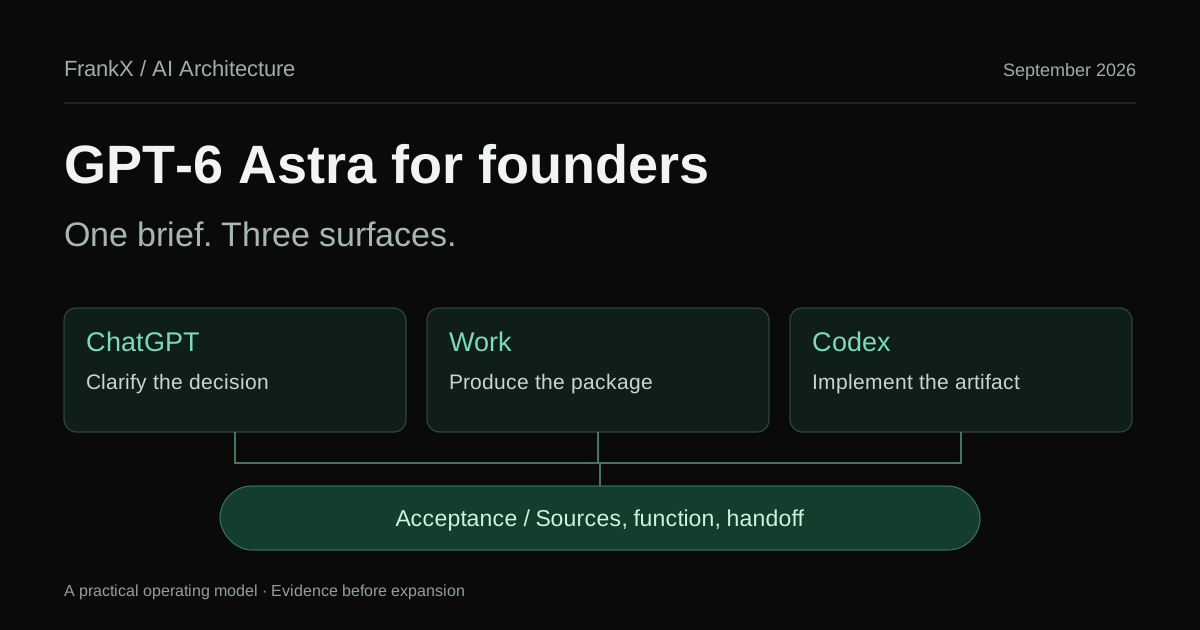
GPT-6 Astra for founders: ChatGPT, Work and Codex
Turn GPT-6 Astra into a useful founder workflow across ChatGPT, Work and Codex, with clear briefs, source checks, web design tests and reviewable handoffs.
Read article
Voice typing for creators: scripts, hooks and captions
A voice typing workflow for content creators: dictate YouTube scripts, hooks, captions and newsletter drafts, capture ideas on mobile, and keep your own voice.
Read article
Wispr Flow vs Superwhisper vs MacWhisper vs Willow
Compare four dictation apps by where audio is processed, platforms, live dictation versus file transcription, AI cleanup and listed October 2026 prices.
Read article