The Canva AI Workflow for Founders: From Brief to Brand System
TL;DR
Canva becomes a founder system when it sits inside a governed loop: strategy enters as a structured brief, an AI agent uses Canva's official remote MCP server to work with approved assets, a human controls the final decision, and every published artifact feeds measurable learning back into the next brief.

Leave with a permission-controlled Canva operating model that connects research, AI agents, brand production, human review, publishing, and measurement.
TL;DR: Do not begin with “make me 30 posts.” Begin with the operating system around the work.
Define the audience and decision. Give the agent a structured brief. Connect it to Canva through Canva's official remote MCP server. Keep approved brand assets and templates inside Canva. Require human review before publication. Then measure which artifacts create qualified attention, trust, and action.
That is the difference between generating more content and building a content system that becomes more intelligent over time.
Commercial disclosure, verified 30 August 2026: FrankX is not currently earning a commission from the Canva links in this article. Canva states that its Canvassador Program is now the only pathway to affiliate benefits, and applications are currently closed. If that status changes, I will update this disclosure before using a commission-bearing link. The current links go to official Canva resources or FrankX implementation guides.
Canva is not the strategy. It is a production node.
Founders rarely have a pure design problem.
We have a translation problem: turn market insight into a clear point of view, turn that point of view into a useful artifact, adapt the artifact without weakening it, publish it where the right people can find it, and learn from the response.
Canva can carry a meaningful part of that system. It can hold brand assets, support collaborative production, create format variants, work from structured data, and expose capabilities to compatible AI clients through the official Canva MCP server.
But it should not own the judgment.
Your AI agent should not decide what your company believes. Canva should not become the archive for every untested idea. And production speed should never remove the review boundary between a generated draft and a public brand claim.
The architecture I recommend is simple:
- Research establishes the signal. Customer language, product evidence, search intent, and founder experience shape the brief.
- An orchestrator structures the work. The agent receives a defined audience, job, claim boundary, source set, format, and desired action.
- Canva MCP connects production capabilities. The agent can work with the Canva resources and actions available to the authenticated account and supported client.
- Brand controls constrain the output. Approved assets, templates, fonts, colors, and composition rules reduce visual drift.
- A human reviews the decision. Accuracy, rights, taste, accessibility, and strategic fit remain accountable work.
- The site becomes the canonical home. Social assets distribute the idea; the owned page holds the complete argument, sources, next action, and conversion path.
- Measurement returns learning. Qualified clicks, search demand, completion, saves, replies, and conversion quality shape the next brief.
You can explore this as a clickable system on the FrankX Canva Founder Hub. For the technical connection path, use the Canva MCP guide for founders.
What the official Canva MCP server changes
Model Context Protocol gives an AI client a standard way to discover and use external tools. Canva now provides an official remote MCP endpoint:
https://mcp.canva.com/mcp
According to Canva's official MCP documentation, the connection can support work across design generation and editing, design and asset discovery, brand and library operations, exports, and collaboration actions such as comments. The exact actions available depend on Canva's current tool set, the client you use, authentication, account permissions, and product access.
This matters because the operating surface moves closer to the agent.
Without MCP, a founder often moves between research notes, an AI chat, Canva, a file system, a CMS, and analytics by hand. With a well-governed connection, an agent can help carry context into Canva and handle defined production actions without pretending that every step is autonomous.
The distinction is important:
- MCP is a connection layer, not a creative director. It exposes supported capabilities; it does not supply positioning, taste, or business judgment.
- Authentication is not governance. A successful connection does not mean every asset, folder, or action should be available to every agent.
- Tool access is not publication authority. Creation, export, and public release should remain separate permissions.
- Automation is not evidence. An agent can generate a claim quickly. It cannot make the claim true.
For current setup instructions, supported clients, and authorization behavior, use Canva's AI Connector setup guide and current MCP tools reference. Do not copy a configuration from an old tutorial and assume the permission model is unchanged.
The founder operating model
The strongest workflow starts before Canva opens.
Layer 1: Write a brief an agent can execute
A vague prompt creates a vague production loop. Replace it with a compact contract.
Every brief should contain:
| Field | Decision it controls |
|---|---|
| Audience | Who should recognize themselves immediately? |
| Job | What should the artifact help them understand, decide, or do? |
| Source truth | Which product facts, customer evidence, and official sources are allowed? |
| Claim boundary | What must not be promised, inferred, or presented as proven? |
| One idea | What is the single argument the artifact must carry? |
| Format | Where will it live, and how will the audience encounter it? |
| Brand rules | Which assets, type, colors, density, and visual patterns are approved? |
| Action | What is the smallest valuable next step? |
| Success signal | Which behavior would indicate qualified interest rather than empty reach? |
The brief is also your handoff boundary. A research agent can supply source-backed insights. A strategy agent can shape the argument. A production agent can work through Canva. A publishing agent can prepare the site entry. Each one gets only the context and permissions required for its role.
This is how a small founder-led team gains scale without losing accountability.
Layer 2: Build the brand foundation inside Canva
Before adding automation, organize the assets the system is allowed to use.
Start with:
- approved logo variants and usage notes;
- a restrained color system with defined roles, not just a palette;
- heading, body, and accent typography with fallback rules;
- product screenshots and founder imagery with known rights;
- three to five master compositions for recurring formats;
- a clear archive boundary for drafts, campaigns, and retired assets;
- naming conventions that let humans and agents find the right source.
The aim is not to make every artifact identical. It is to give variation a recognizable center.
For a founder brand, I would create master compositions around recurring decisions: a point-of-view diagram, a technical architecture, a founder note, an implementation guide, and a proof artifact. These are more durable than a folder of trend-led social templates.
If you display Canva's own marks inside an integration or architecture, follow Canva's brand guidelines. At the time of verification, Canva instructs partners to use its icon for UI placements below 50 pixels, preserve clear space, avoid recoloring or distortion, and avoid implying sponsorship or endorsement. Product integration branding and your own brand system are separate responsibilities.
Layer 3: Connect the agent with minimum necessary access
Treat the MCP connection as an operational identity.
The safe path is:
- Use a supported AI client and the official endpoint from Canva's documentation.
- Authenticate through the expected Canva flow.
- Inspect the tools the client exposes before asking it to act.
- Test against a low-risk folder or working design.
- Confirm what the agent can search, edit, export, and comment on.
- Keep publishing, account administration, and irreversible actions outside the first workflow.
- Record the connection owner, intended purpose, review cadence, and removal path.
Most failures here are not model failures. They are boundary failures: the wrong asset, an ambiguous source, excessive access, an unreviewed export, or a missing owner.
The technical Canva MCP guide carries the setup pattern, architecture, security checklist, and test sequence in more detail.
Layer 4: Produce one canonical artifact
Do not start by multiplying formats. First make one artifact worth multiplying.
For this FrankX system, the canonical asset is usually the website guide. It holds the complete thesis, implementation detail, source links, structured data, and next action. Canva then helps create the visual explanation and distribution layer around it.
A strong production sequence looks like this:
- Research the founder question and capture exact source URLs.
- Write the article's decision-first outline.
- Map the core system as an architecture before decorating it.
- Create or refine the visual artifact in Canva using approved brand resources.
- Review the visual against the article, not in isolation.
- Publish the guide as the canonical source.
- Derive platform-native assets that point back to the guide when a deeper action is relevant.
This keeps the idea coherent. The social post is not a smaller version of the article; it is a useful doorway into the same system.
Layer 5: Scale with structured data
Canva's Bulk Create from Sheets workflow is useful when the variation is real and the composition is stable.
Good inputs include:
- a library of founder questions paired with concise answers;
- product features mapped to customer jobs and proof;
- event sessions with speaker, title, time, and track;
- regional pages with reviewed local facts;
- benchmark data with a consistent visual grammar;
- course lessons with defined titles, outcomes, and sequence.
Bad inputs include unverified AI claims, scraped quotes without rights, synthetic testimonials, and dozens of near-identical pages created only to capture search traffic.
The production equation is not “one template times 100 rows.” It is:
reviewed data × useful variation × governed template × human quality gate
If one factor is weak, scale magnifies the weakness.
Layer 6: Review before export and publication
Human review should answer five different questions:
- Truth: Are the claims supported by the approved sources?
- Usefulness: Does the artifact help the intended reader make a better decision?
- Brand: Does it feel recognizably ours without becoming repetitive?
- Rights and permissions: Are the media, marks, customer references, and data lawful to use?
- Release quality: Does it work on mobile, respect reduced motion, provide accessible text, and lead to the right next action?
This is not a ceremonial approval at the end. It is the point where founder judgment enters the system.
How the FrankX content engine uses Canva
The FrankX model is built around one belief: expertise should compound.
One founder insight can become a reusable architecture, a field guide, a visual explanation, a workshop asset, and a machine-readable source for future agents. But each format must preserve the same evidence and decision.
For this Canva topic, the system has four connected surfaces:
| Surface | Role |
|---|---|
| Canva Founder Hub | The visual entry point, interactive architecture, current status, and content map |
| Canva MCP guide | The technical setup, permission model, and implementation path |
| This article | The founder operating model and strategic reasoning |
| Official Canva resources | The changing product truth for tools, access, brand use, embeds, and program status |
The site remains the canonical layer because it lets us keep the argument, sources, structured metadata, accessibility, version date, and next action together. Canva extends the system through production and distribution; it does not replace the owned knowledge base.
Use embeds deliberately
Canva designs can be embedded into a site, and Canva states that standard embeds update when the source design changes. That is useful for living diagrams, campaign boards, or workshop artifacts.
It also creates a governance decision. Canva's embed guidance says standard embedded designs are public. Private embedding is limited to specific organizational contexts described in Canva's current documentation.
Before embedding a design, ask:
- Can every element in this design be public?
- Does the source contain private comments, customer data, or unreleased product information?
- Who owns future edits?
- Could a later edit weaken the meaning of an already-published article?
- Is there a stable text alternative if the embed fails or cannot be loaded?
For durable technical architectures, I prefer a native, accessible site implementation with Canva used as the production and collaboration surface. For campaign artifacts that should evolve with the source, an embed can be the right choice.
Design the traffic loop around intent, not volume
More output does not automatically create more demand. A founder content system should connect four kinds of intent:
- Problem intent: “How do I keep AI-generated content on-brand?”
- Implementation intent: “How do I connect Canva MCP to my AI client?”
- Evaluation intent: “Is Canva the right production system for my team?”
- Expansion intent: “How do I turn one proven asset into a repeatable campaign?”
Each page should answer one primary intent completely, link to the next useful decision, and expose enough verifiable structure for both search engines and answer engines to understand the content.
That means:
- a clear answer near the top;
- precise headings that reflect real founder questions;
- first-party and official sources close to changing claims;
- a visible last-verified date;
- internal links between the strategy, implementation, and visual architecture;
- descriptive text around videos and interactive diagrams;
- structured FAQ data only for questions actually answered on the page;
- a bounded next action instead of a generic product pitch.
The measurement layer should distinguish attention from intent.
| Signal | What it may tell you |
|---|---|
| Non-branded search entry | The page matches a real problem or implementation query |
| Architecture interaction | The reader is exploring how the system works |
| Guide continuation | The strategic article created enough trust for technical depth |
| Official resource click | The reader is validating or preparing to implement |
| Return visit | The page has reference value beyond a single session |
| Qualified inquiry or signup | The system helped a reader cross a meaningful decision boundary |
Raw impressions are context. They are not the outcome.
A 30-day founder implementation path
The path I recommend is narrow enough to finish and complete enough to teach you something.
Week 1: Establish the operating foundation
- Define one high-intent founder question.
- Write the structured brief and claim boundary.
- Organize one approved Canva working area.
- Identify the human owner for truth, brand, and release.
- Connect a supported AI client to Canva's official MCP endpoint in a low-risk test.
Exit condition: the agent can perform an allowed test action, and the team can explain exactly what it may and may not do.
Week 2: Build the canonical system artifact
- Write one source-backed guide.
- Create one architecture or decision visual.
- Test the visual at desktop and mobile reading sizes.
- Add accessible text that communicates the same relationships.
- Review the complete page as a decision path.
Exit condition: one useful page is ready without requiring social distribution to justify it.
Week 3: Create evidence-led variants
- Select three audience entry points from the same source.
- Produce one platform-native asset for each.
- Use Bulk Create only where structured variation improves relevance.
- Keep every variant connected to the same source truth.
Exit condition: each variant has a distinct job, not just a different canvas size.
Week 4: Publish, measure, and revise
- Release the canonical page and its distribution assets.
- Track interaction with the architecture, guide, official sources, and CTA.
- Review qualitative replies alongside analytics.
- Record which message created recognition, which created action, and where trust broke.
- Update the next brief with that evidence.
Exit condition: the second cycle starts with better context than the first.
When Canva is not the right center
Canva is a strong fit when founders need collaborative, brand-controlled production across recurring visual formats.
It is not automatically the right source of truth for:
- a production UI design system with code-level components and tokens;
- data visualizations where exact scales and reproducible calculations matter;
- confidential diagrams that cannot be exposed through the selected sharing mode;
- high-end art direction that depends on bespoke composition and specialist craft;
- automated publishing where approvals, rollback, and auditability are not yet solved.
Use Canva where its speed, collaboration, and structured production reduce friction. Keep code, analytics, product truth, and publication governance in the systems designed to own them.
The current affiliate reality
An affiliate strategy only works when the commercial relationship is true and visible.
Canva's affiliate program help page currently says that the Canvassador Program is the only pathway to affiliate benefits and that applications are closed. That means I am not presenting an active commission offer, a payout, or an application path here.
The useful work continues without it:
- build the authoritative implementation cluster now;
- send readers to official product and documentation pages;
- track qualified outbound interest without claiming commission revenue;
- keep commercial disclosure adjacent to commercial links;
- reassess only when Canva publishes a new official status.
If the program reopens and FrankX is accepted, the content should not quietly change into an affiliate funnel. The disclosure, link behavior, review criteria, and update date should change together.
Trust compounds before commission does.
FAQ
What is Canva's official MCP server URL?
Canva documents its remote MCP endpoint as https://mcp.canva.com/mcp. Use the official MCP documentation and AI Connector setup guide for current client-specific instructions.
What can an AI agent do through Canva MCP?
Canva's current documentation describes tools across design generation and editing, search and discovery, brand and asset operations, export, and collaboration. Availability depends on the current tool catalog, the authenticated account, permissions, product access, and the AI client. Inspect the exposed tools before building an automated workflow.
Does Canva MCP make content creation autonomous?
No. It can connect an agent to supported Canva actions, but strategy, source selection, rights, taste, factual review, and publication authority still need explicit ownership. The safest design separates creation access from release authority.
How should a founder keep AI-assisted Canva work on-brand?
Create a governed asset foundation first: approved logos, color roles, typography, master compositions, owned media, naming conventions, and review criteria. Then provide these constraints in the brief and review the final artifact at the context where it will be published.
Can Canva designs be embedded on a public website?
Yes, Canva supports embedding and says edits to the source can update the embedded design. Its current help documentation also warns that standard embeds are public. Review the official embed guidance before embedding confidential or unreleased material, and provide an accessible fallback.
When should I use Bulk Create?
Use it when you have reviewed structured data, a stable composition, and genuinely useful variation. Do not use it to manufacture near-duplicate search pages, synthetic proof, or unverified claims at scale.
Is FrankX a Canva affiliate?
Not at the time of this update. Canva states that the Canvassador Program is the only affiliate path and that applications are currently closed. This article does not claim an active commission relationship.
Where should I start?
If you want the system view, start with the interactive Canva Founder Hub. If you are ready to connect an agent, continue with the Canva MCP implementation guide and test the smallest permission-controlled workflow first.
Official sources
- Canva MCP overview
- Canva MCP tools reference
- Canva AI Connector setup
- Canva Connect brand guidelines
- Canva design embed guidance
- Canva Bulk Create from Sheets
- Canva affiliate marketing program status
- Official Canva YouTube channel
Build the first useful loop
You do not need a content factory on day one.
Start with one founder question, one governed Canva workspace, one permission-controlled agent connection, one canonical guide, and one measure of qualified action. Make that loop useful. Prove where human judgment matters. Then turn what works into reusable templates, agent skills, and a publishing rhythm.
Explore the FrankX Canva Founder Hub, then use the Canva MCP guide to build the first connection.
HERO_PROMPT: A precise editorial systems map for a founder content operation, showing research signals becoming a governed AI agent workflow, a luminous design production node, human review, an owned website, and a measured feedback loop; obsidian background, restrained emerald and cyan data paths, one controlled violet-to-cyan accent at the design node, tactile glass and fine technical linework, cinematic depth, premium information design, no text, no floating dashboards, no generic robot imagery.

Read on FrankX.AI — AI Architecture, Music & Creator Intelligence
Stay in the intelligence loop
Field notes on AI systems, production patterns, and builder strategy.
Continue Reading
Official OpenAI plugins worth knowing: a builder’s guide
A practical guide to OpenAI-published plugins for building products, creating content, managing knowledge, and packaging repeatable AI workflows.
Read article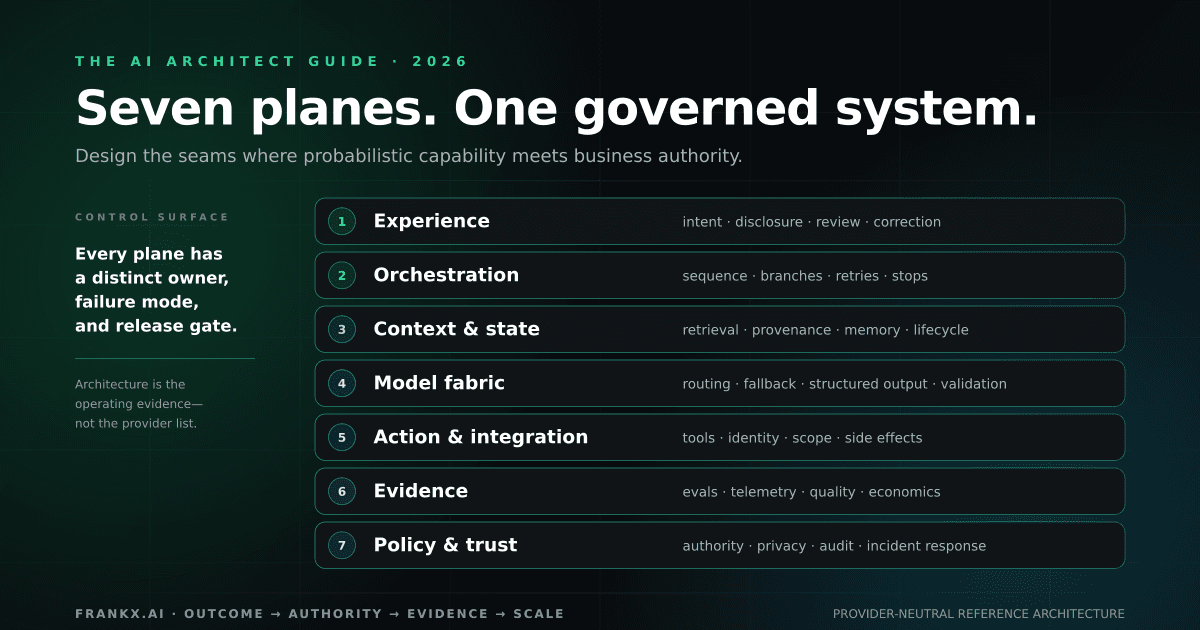
The AI Architect Guide 2026
A field guide to the decisions, system planes, evidence gates, and operating artifacts required to turn AI capability into a reliable workflow.
Read article
Grok Voice vs OpenAI Realtime vs ElevenLabs (2026)
Compare price, latency, architecture, tools, and voice quality—then choose a production voice-agent stack for web, mobile, or phone.
Read article