Best AI Presentation Maker 2026
TL;DR
— For most people in 2026, Gamma is the best AI presentation maker: fastest from prompt to finished deck, strong design, and one-click PowerPoint export on paid plans. If you live in Google Slides or PowerPoint, Plus AI generates editable native slides instead of locking you.

You will know which AI presentation tool fits your work — speed, editability, export, or price — and why Tome is no longer an option.
TL;DR — For most people in 2026, Gamma is the best AI presentation maker: fastest from prompt to finished deck, strong design, and one-click PowerPoint export on paid plans. If you live in Google Slides or PowerPoint, Plus AI generates editable native slides instead of locking you in. NotebookLM now builds slide decks straight from your own documents and exports to PPTX — the best free option when accuracy matters. Canva wins for brand-controlled visual decks. One correction many guides still get wrong: Tome shut down its presentation product on April 30, 2025. It is gone. Don't start there.
Why is Tome gone, and what should you use instead?
Tome was the AI-storytelling darling of 2023. It is no longer a presentation tool.
Tome sunset its consumer presentation product on April 30, 2025, after publicly stating it had not found a sustainable path for consumer AI slides. The team pivoted into sales automation under a new brand, Lightfield. AngelList later acquired the Tome name and its document-summarization technology for use inside its fund-management backend.
The practical fallout: users who did not export their decks before the shutdown date lost them. If a "best AI presentation maker" list in 2026 still ranks Tome, it is stale — treat the rest of that list with suspicion.
The honest replacement depends on how you work. Tome's tile-based, hard-to-export format was part of why it failed in business settings. The tools that won learned that lesson: they export to PowerPoint and Google Slides, and they let you edit. Gamma, Plus AI, and NotebookLM all cover the gap Tome left.
Which AI presentation maker is best overall in 2026?
Gamma, for most people.
Gamma turns a prompt, a pasted outline, or a document into a designed deck in under a minute. Through 2026 it added a conversational agent for editing, native image generation, and a Generate API. The output looks intentional rather than templated, which is rare in this category.
The catch is the free tier. Gamma's free plan gives you 400 one-time credits, watermarks exports with Gamma branding, and blocks PowerPoint and PDF export until you upgrade. Plus is $8/month; Pro is $15/month. For anything you'll share externally, you're on a paid plan.
Gamma is best when speed and finished-looking design matter more than precise pixel control. It is weakest when you need a corporate template followed exactly — its design opinions are strong, and overriding them takes work.
If you want the full toolkit picture beyond slides, see the best AI superpowers stack for 2026.
How do I get AI slides directly in Google Slides or PowerPoint?
Use Plus AI. It is the answer when you don't want to leave the tools your team already uses.
Plus AI generates and edits slides natively inside Google Slides and PowerPoint, rather than producing a deck you have to export and reformat. The output is real, editable slides — not an image dump — so collaborators can keep working in the file format they know.
Pricing starts at $10/month on the annual Basic plan and scales to roughly $30/month for Teams with custom branding. Every plan includes both Google Slides and PowerPoint, and there's a 7-day free trial with 1,000 AI credits.
Plus AI is the lowest-friction pick for anyone whose company standardizes on Microsoft or Google. You keep your existing template, sharing, and permission model, and the AI does the drafting. The tradeoff is that the design ceiling is whatever your slide template allows — it won't out-design Gamma, and it isn't trying to.
Can NotebookLM make presentations, and is it good?
Yes — and as of 2026 it is genuinely useful, especially when accuracy matters.
NotebookLM builds Slide Decks grounded in the sources you upload. Because it only works from your documents, it doesn't invent facts the way prompt-only generators can. In 2026 Google added the ability to revise individual slides with stylistic or factual feedback and to export decks as PPTX (previously PDF only). It also generates Video Overviews — including a Cinematic format built by Gemini 3, Nano Banana Pro, and Veo 3 — for an audio-visual summary instead of static slides.
NotebookLM is the best free option when your deck must reflect a specific report, research set, or set of documents accurately. It is not a freeform design tool — you can't start from a blank prompt and art-direct a pitch the way you can in Gamma. Use it to turn source material you already trust into a defensible deck.
Which is better for brand-controlled decks, Canva or Beautiful.ai?
Both are strong; they solve different problems.
Canva is the visual generalist. Its AI (Magic Design and the wider Canva AI suite) drafts decks inside the same editor you use for everything else — social posts, docs, video. If your brand kit, fonts, and assets already live in Canva, that consistency is the whole point. Canva raised its Pro price to $15/month in 2026, putting it at the higher end, but you're paying for one tool that covers far more than slides.
Beautiful.ai is the structure specialist. Its slides auto-arrange as you add content, so decks stay clean without manual nudging. The 2026 Context-Aware Workflow generates outline-first, which suits anyone who thinks in structure before visuals. Pro is $12/month billed annually, with unlimited slides and PowerPoint import/export. One honest caveat: users report formatting drift on PowerPoint export, so budget cleanup time if you share .pptx externally.
Pick Canva if visual flexibility and an existing brand library matter most. Pick Beautiful.ai if you want consistent structure with the least fiddling.
For the broader visual workflow — including image generation that feeds your slides — see the best AI image generators in 2026.
What about Presentations.ai?
Presentations.ai targets speed and template consistency. It generates a full deck from a short prompt and keeps formatting uniform across slides — useful for teams that want everyone's decks to look the same without enforcing it manually. It exports to PowerPoint and offers a free tier with paid plans above it.
It's a reasonable pick if your priority is fast, on-brand, consistent decks at volume. It does not lead on design polish the way Gamma does, and its free tier is more of a trial than a finished-deliverable plan. Treat it as a fast-draft engine, not a design tool.
How do these AI presentation tools compare on price and export?
| Tool | Output quality | Editability | Export to PPT / Slides | Entry price | Best for |
|---|---|---|---|---|---|
| Gamma | Excellent, designed | High (web editor + AI agent) | PPT + PDF on paid plans | Free / $8 / $15 mo | Fast, finished-looking decks |
| Plus AI | Good, template-bound | Native — real editable slides | Both, all plans | $10/mo (annual) | Google Slides / PowerPoint users |
| NotebookLM | Good, source-accurate | Per-slide revisions | PPTX export | Free | Decks grounded in your documents |
| Canva (AI) | Very good, brand-rich | High (full editor) | PPT + PDF | $15/mo Pro | Brand-controlled visual decks |
| Beautiful.ai | Very good, structured | Auto-arranged | PPT (some export drift) | $12/mo (annual) | Consistent structure, outline-first |
| Presentations.ai | Good, consistent | Medium | PowerPoint | Free / paid | Fast, uniform decks at volume |
| Tome | — Discontinued — | — | — | — | Shut down April 30, 2025 |
A note for budget: free tiers cover most real-world needs. NotebookLM is free and accurate; Gamma's free tier is fine for testing if you can live with watermarks. Only pay when you need clean external export or your own branding.
Which should you actually pick?
Match the tool to the job, not the hype.
- You want the best deck fastest: Gamma.
- Your team lives in Google Slides or PowerPoint: Plus AI.
- Your deck must be accurate to specific documents, for free: NotebookLM.
- You need tight brand control and already use Canva: Canva.
- You want clean structure with minimal fiddling: Beautiful.ai.
- You need fast, uniform decks at volume: Presentations.ai.
- You were going to use Tome: pick again — it's gone.
For a deeper map of the creator toolset these slides plug into, see the best AI tools for creators in 2026, or start building your own AI workflow with GenCreator.
Affiliate disclosure (honest): Gamma links may be affiliate links. Canva is recommended here on product fit, not because a new Canva affiliate application is available: Canva says Canvassador is now the only pathway to affiliate benefits and applications are currently closed. That status changes nothing about the ranking above: Gamma leads on merit, NotebookLM is free, Plus AI wins the native-slides job, and Canva remains the brand-control pick regardless of payout.
Evolve Your Creative Workflow: Build Your CoE
If you are ready to stop chasing individual tools and start building a compounding system, explore the GenCreator Platform.
GenCreator adapts the six-pillar AI Center of Excellence (CoE) pattern into a practical operating system for solo builders and creators. Turn your tool stack into an automated personal engine.
👉 Start building your personal AI CoE at GenCreator.ai
FAQ
Is Tome still available for presentations in 2026? No. Tome shut down its presentation product on April 30, 2025, and pivoted to sales automation under the Lightfield brand. The Tome name and its document-summarization tech were later acquired by AngelList. Users who didn't export before the shutdown lost their decks. Any 2026 guide still recommending Tome for slides is out of date.
What is the best free AI presentation maker? NotebookLM is the strongest free option when your deck is based on documents you upload — it stays accurate to your sources and now exports to PPTX. Gamma's free tier works for testing but watermarks exports and limits PowerPoint/PDF until you upgrade. For freeform design without paying, Gamma's free credits are the better starting point; for accuracy, NotebookLM.
Which AI presentation tool exports cleanly to PowerPoint? Gamma (paid), Plus AI, Beautiful.ai, Canva, and NotebookLM all export to PowerPoint or PPTX. Plus AI is cleanest because it generates native, editable slides from the start. Beautiful.ai users sometimes report formatting drift on .pptx export, so check the result before sharing externally.
Gamma vs Canva — which should I use? Use Gamma if you want a finished-looking deck fast from a prompt and don't already have a brand library to enforce. Use Canva if your brand kit, fonts, and assets already live there and visual consistency across all your content matters more than raw speed. Gamma is the better pure presentation engine; Canva is the better all-in-one visual studio.
Can AI presentation makers build slides from my own documents? Yes. NotebookLM is built specifically for this — it grounds every slide in the sources you upload, which keeps it from inventing facts. Plus AI and Gamma can also import documents as a starting point, but NotebookLM is the most source-faithful of the group, which matters for research, reports, and anything that has to be defensible.
How much should I expect to pay for an AI presentation tool? Entry paid plans cluster around $8–$15/month: Gamma Plus at $8, Beautiful.ai Pro at $12 (annual), Plus AI at $10 (annual), and Canva Pro at $15. NotebookLM is free. Most people can stay on free tiers until they need watermark-free external export or custom branding — that's the moment to upgrade, not before.

Read on FrankX.AI — AI Architecture, Music & Creator Intelligence
Stay in the intelligence loop
Field notes on AI systems, production patterns, and builder strategy.
Continue Reading
Best AI Logo Maker 2026: Looka vs Canva vs Ideogram vs Recraft
A results-first comparison of the best AI logo makers in 2026 — Looka, Canva, Ideogram, and Recraft — judged on vector export, brand kit, licensing, and price.
Read article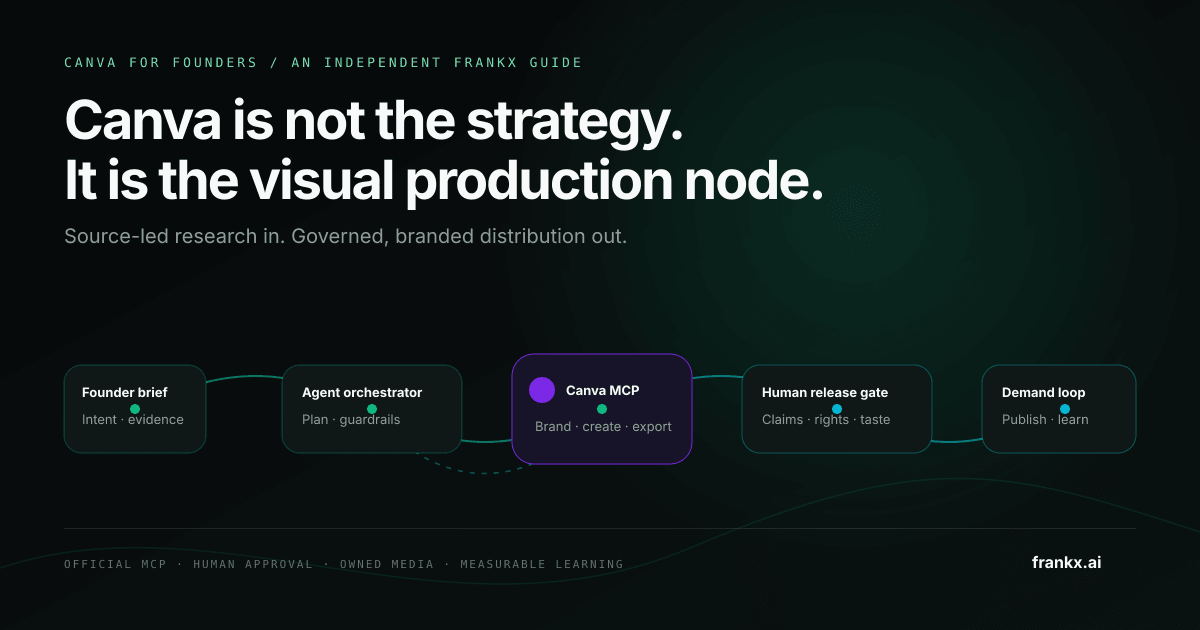
The Canva AI Workflow for Founders: From Brief to Brand System
A governed Canva workflow for founders: connect the official MCP server, protect brand assets, review every release, and measure what compounds.
Read article
The Ultimate Gamma Workflow in 2026: From Prompt to Investor-Ready Deck
A results-first workflow for Gamma in 2026 — prompt-to-pitch-deck, doc-to-deck, edit-by-chat refinement, and brand-locked templates, plus the real ROI vs. hiring a designer.
Read article