Best AI Logo Maker 2026: Looka vs Canva vs Ideogram vs Recraft
TL;DR
A results-first comparison of the best AI logo makers in 2026 — Looka, Canva, Ideogram, and Recraft — judged on vector export, brand kit, licensing, and price.

Pick the right AI logo tool for your situation, understand which ones give you a real vector file, and know where the AI starting point ends and brand work begins.
TL;DR: The best AI logo maker in 2026 is Recraft, because it generates native SVG vectors — a real, editable file you own and can scale to a billboard. Looka wins if you want a finished logo plus a full brand kit in one flow. Canva wins if the logo lives inside a larger design system you already use. Ideogram wins when the logo is mostly text and the letters have to be perfect. But read this caveat first: every AI logo tool gives you a strong starting point, not a final brand identity. The pixels are easy. The decisions — what the mark should mean, where it breaks, how it survives a one-color print — are still yours.
I have made logos the slow way (a designer, three weeks, four rounds) and the fast way (a prompt, ninety seconds, a usable mark). In 2026 the fast way is good enough to ship for most early-stage projects. It is not good enough to skip thinking. This piece sorts the four tools that matter and tells you which one fits your situation.
Disclosure: Some links below may be affiliate links and can earn me a commission at no extra cost to you. Canva is included on product fit, not payout: its official help page says Canvassador is the only pathway to affiliate benefits and applications are currently closed. Recraft — my top pick for the file that matters most — has no affiliate program here, which should tell you where my bias is not.
What is the best AI logo maker in 2026?
Recraft. The reason is narrow and it is the whole game for a logo: Recraft generates native vector SVG — actual paths and anchor points, not a JPEG wrapped in an SVG container. A logo's entire job is to scale cleanly from a 16-pixel favicon to a trade-show banner. Raster art can't do that. Vector art does it for free.
That said, "best" depends on what you're optimizing for:
| Tool | Best for | Native vector? | Brand kit | Ownership | Price (2026) |
|---|---|---|---|---|---|
| Recraft | The pro pick — real, editable SVG | Yes (true SVG) | No | Commercial license on paid plans | Free (50 daily credits, public); Basic $10/mo |
| Looka | Finished logo + full brand kit, fast | Yes (vector in Premium) | Yes (300+ templates) | Full rights with Premium purchase | Basic $20 one-time; Premium $65 one-time; Brand Kit $96/yr |
| Canva | Logo inside a design system you already use | SVG export on Pro | Yes (Brand Kit on Pro) | Restrictions on some elements | Free (20 AI logos/mo); Pro ~$15/mo |
| Ideogram | Text-heavy logos / perfect lettering | No (raster only) | No | Commercial use on paid plans | Free tier; Plus $20/mo |
| GPT Image 2 / Nano Banana | Concept exploration, mood, direction | No (raster only) | No | Per-platform terms | Pay-per-use / included in plans |
Do AI logo makers give you a vector file you own?
This is the question that separates a toy from a tool, so answer it before you pay anyone.
A vector file (SVG, or its print cousins EPS/PDF) is math, not pixels. It scales to any size with zero quality loss, and a designer can open it and edit a single curve. A raster file (PNG, JPEG) is a fixed grid of pixels. Blow it up and it turns to mush. Real logos live and die as vectors.
Here's where each tool lands:
- Recraft — true native SVG. This is the cleanest vector output of the group. Paid plans grant a commercial license; the free tier makes your generations public, so don't use free output for a real brand.
- Looka — the Premium one-time purchase ($65) includes vector files (SVG, EPS, PDF) plus full ownership rights. This is the most complete "I own this and can print it anywhere" package for non-designers.
- Canva — SVG export is gated behind Canva Pro. Important catch: Canva's logo and design output can include stock elements with usage restrictions, and you generally can't trademark a logo built from Canva's template library. Read their content license before you build a brand on it.
- Ideogram — raster only. No SVG. Stunning for the look, but you'll need to trace it to vector (in Illustrator, or via Recraft's image-to-vector) before it's print-ready.
- GPT Image 2 / Nano Banana — raster only, same trace-to-vector requirement. Great for direction, not for delivery.
The rule: if the tool can't hand you an SVG you own, treat its output as a sketch, not a logo.
How good is the actual logo quality from each tool?
Quality splits into two things — how the mark looks, and whether the text is spelled right.
Recraft produces clean, modern, genuinely vector-native marks. Because it thinks in shapes, the output tends to be simpler and more logo-appropriate than the busy, over-rendered look you get from general image models. This is a feature, not a limitation — good logos are simple.
Looka uses a guided flow (pick industry, colors, symbols, then it generates and you refine). The results are template-adjacent — competent, safe, occasionally generic — but the editor lets you push them somewhere ownable.
Ideogram is the text king. It hits roughly 90% accuracy on rendered text where general models fumble. If your logo is a wordmark — the company name set in a distinctive way — Ideogram is the tool that won't hand you "Cl0udSnyc" misspelled across the canvas.
Canva quality is fine and improving, but its strength isn't the raw generation — it's that the logo drops straight into the rest of your decks, posts, and docs.
GPT Image 2 / Nano Banana give you the widest creative range for exploration. Use them to find a direction, then rebuild it as vector elsewhere. For more on those engines, see my best AI image generators 2026 breakdown.
Which AI logo maker is best for a complete brand kit?
Looka, clearly. The logo is the start, not the finish.
A brand kit is the logo plus everything around it: color palette, fonts, business cards, social templates, letterhead, a one-color version, a favicon. Looka's Brand Kit subscription ($96/yr) generates 300+ branded marketing materials pre-filled with your logo, colors, and company info. For a solo founder who needs to look launched by Friday, that's the fastest path from nothing to a coherent presence.
Canva is the runner-up here — its Brand Kit (on Pro) holds your logo, colors, and fonts and applies them across thousands of templates. The difference: Looka builds the kit from your logo; Canva expects you to bring or place the logo into a system you're already running. If your whole workflow is already in Canva, that's a feature. My full Canva approach is in the ultimate Canva AI workflow 2026 guide.
Recraft and Ideogram don't do brand kits. They make assets. You assemble the kit yourself — which, if you have any design instinct, often produces a better result than a templated one.
What does an AI logo maker actually cost in 2026?
Price ranges from free to about $130 a year, and the cheapest option is rarely the right one.
- Recraft — Free tier (50 daily credits, but generations are public). Basic is $10/month with 1,000 credits, private generation, and a commercial license. For a logo project you can subscribe for one month, export your SVGs, and cancel. Effective cost: ~$10.
- Looka — One-time pricing, which is refreshing. Basic logo $20, Premium (with vectors + full rights) $65. Brand Kit is a $96/yr subscription; Brand Kit Web (adds a basic site) is $129/yr. For just the logo files you own, $65 once.
- Canva — Free tier covers 20 AI logo generations a month. Pro (~$15/month) unlocks SVG export, Brand Kit, and 500 AI credits shared across all Magic Studio features. Worth it only if you'll use Canva for everything else too.
- Ideogram — Free tier exists. Plus at $20/month gives 1,000 priority credits, private generation, and the editor. Overkill if you only need one logo.
The honest math: for one logo you own as a vector, Looka Premium at $65 once or one month of Recraft Basic at $10 are the two best-value paths. Everything else assumes ongoing use.
When should you skip the dedicated tools and use GPT Image 2 or Nano Banana directly?
Use them at the very start, when you don't know what you want yet.
General image models are exploration engines. Prompt "minimal geometric logo for a climate-data startup, single color, sharp" against GPT Image 2 or Nano Banana and you'll get twenty directions in a few minutes. None will be your final logo — they're raster, often too detailed, and not trademark-safe. But they're the fastest way to discover a direction.
The workflow that actually works:
- Explore with GPT Image 2 / Nano Banana — find a visual direction.
- Rebuild that direction as native vector in Recraft (or use Recraft's image-to-vector to trace your favorite).
- Verify the text in Ideogram if it's a wordmark.
- Wrap the kit in Looka or Canva if you need cards, social, and a palette fast.
That's four tools, an afternoon, and a logo you own. If you're assembling a wider toolkit, I mapped the full set in the best AI superpowers stack 2026.
What can't an AI logo maker do? (Read before you ship)
Here's the caveat the affiliate-heavy reviews skip: AI gives you a starting point, not a brand identity.
A logo is the easy 10%. The AI nails the easy part. What it can't do:
- Strategy. Why does this mark exist? What does it have to communicate in half a second? AI can't answer that — you have to.
- Distinctiveness. AI logo tools are trained on existing logos, so they regress toward the safe middle. "Looks like every other SaaS logo" is the default failure mode. Pushing away from generic is human work.
- The hard cases. How does it read at 16 pixels? In one color? Embroidered on a hat? Reversed on a dark background? A real identity survives all of these. AI output usually doesn't, untouched.
- Trademark safety. AI can — and will — produce something close to an existing mark. Before you ship, run a trademark search. The tool won't do it for you, and "the AI made it" is not a legal defense.
So treat the AI output as a draft a designer could refine, or as a genuinely good-enough mark for an MVP, a side project, or a launch you'll rebrand later once you know what the thing is. Both are legitimate. Pretending the draft is a finished identity is not.
Evolve Your Creative Workflow: Build Your CoE
If you are ready to stop chasing individual tools and start building a compounding system, explore the GenCreator Platform.
GenCreator adapts the six-pillar AI Center of Excellence (CoE) pattern into a practical operating system for solo builders and creators. Turn your tool stack into an automated personal engine.
👉 Start building your personal AI CoE at GenCreator.ai
FAQ
Is Recraft really better than Looka for logos? For the file itself, yes — Recraft's native SVG is the cleanest, most editable vector output of the group, and that's what a logo needs. Looka is better if you want a finished logo plus a complete brand kit (cards, social, palette) without assembling it yourself. Pick Recraft for the asset; pick Looka for the package.
Do I actually own the logo an AI makes? It depends on the tool and plan. Looka Premium grants full ownership and rights. Recraft and Ideogram grant a commercial license on paid plans (Recraft's free tier makes output public — don't use it for a real brand). Canva has usage restrictions on some elements and generally can't be trademarked from its template library. Always read the specific content license before building a business on the output.
Can I trademark an AI-generated logo? Sometimes, but be careful. AI tools train on existing logos and can produce marks too close to registered ones. Run a proper trademark search before filing, and prefer tools that grant full ownership (like Looka Premium) or that you've meaningfully edited into something distinct. "The AI generated it" is not legal protection.
Which AI logo tool gives a real vector (SVG) file? Recraft (native SVG, the best of the group), Looka (vector files included with Premium), and Canva (SVG export on Pro). Ideogram, GPT Image 2, and Nano Banana are raster-only — you'd need to trace them to vector before they're print-ready.
What's the cheapest way to get a logo I own? Two paths tie: Looka Premium at $65 one-time (includes vectors and full rights) or one month of Recraft Basic at $10 (export your SVGs, then cancel). Both beat ongoing subscriptions if you only need one logo.
Should a real business use an AI logo maker at all? For an MVP, side project, or early launch — yes, it's a sensible starting point that saves weeks. For a brand you intend to scale and defend, use the AI output as a draft and have a designer refine it for distinctiveness, edge cases, and trademark safety. The AI handles the easy 10%; the strategic 90% is still human work.
Want the full system — not just logos, but the whole creator toolkit and how the pieces fit? Start with GenCreator, or head back to the homepage for the rest of the dispatches.

Read on FrankX.AI — AI Architecture, Music & Creator Intelligence
Stay in the intelligence loop
Field notes on AI systems, production patterns, and builder strategy.
Continue Reading

Best AI Presentation Maker 2026
Gamma, Canva, Beautiful.ai, Plus AI, NotebookLM, and Presentations.ai compared on quality, editability, PPT/Slides export, and price — plus the Tome shutdown most guides still get wrong.
Read article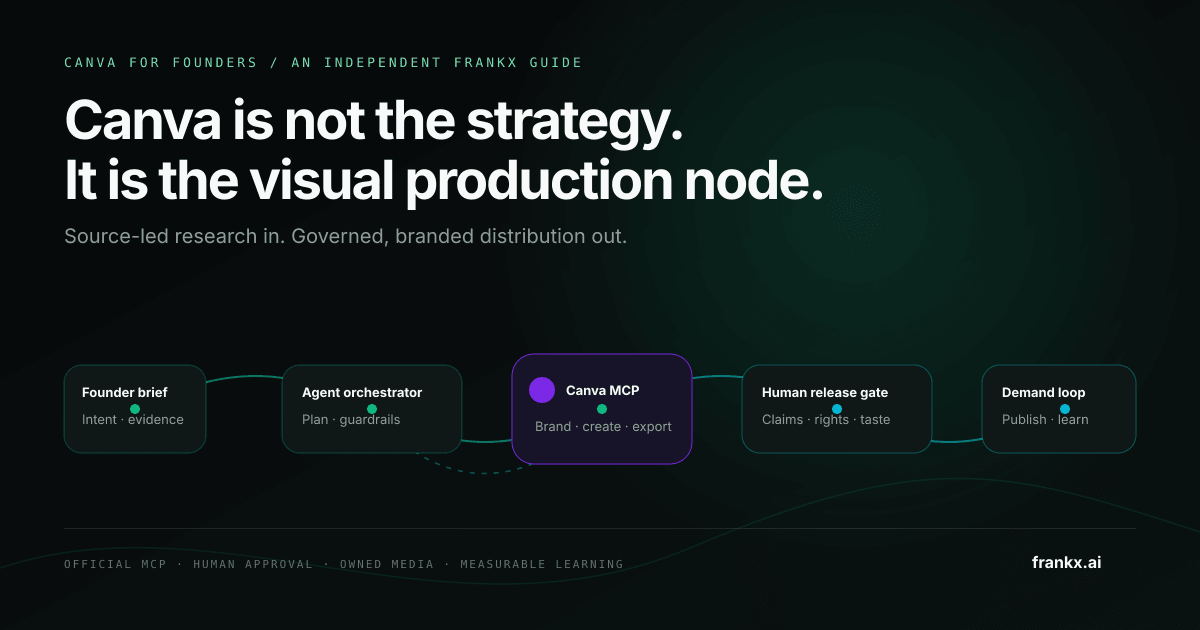
The Canva AI Workflow for Founders: From Brief to Brand System
A governed Canva workflow for founders: connect the official MCP server, protect brand assets, review every release, and measure what compounds.
Read article